
PostHog
How to Connect PostHog to Customerscore.io
Prepare PostHog API Access
- Log in to your PostHog account. We’ll need the project ID from your account URL (e.g.,
https://eu.posthog.com/project/12345— in this case, “12345” is the project ID). - Navigate to Settings > Personal API Keys and click Create personal API key.
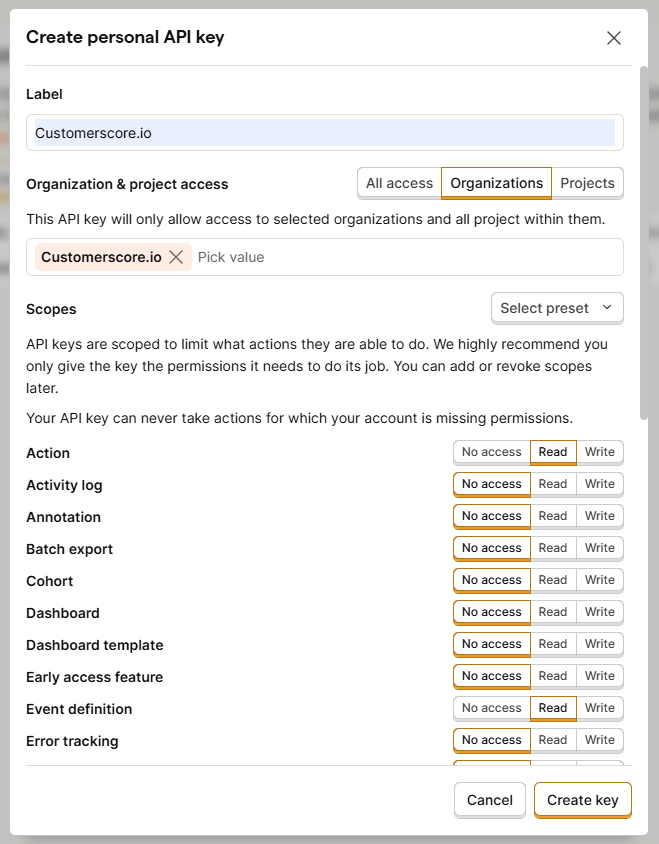
Start by entering a Label name. Type Customerscore.io as the name.
Next, choose the access level: Organization or Project, depending on whether you want to grant access to your entire organization or only to specific projects. Then, under Scopes, assign permissions to the API key. For the basic setup, grant Read access to the following resources: Action, Event definition, Organization, Project, and Query. Once you have selected all the required permissions, click the Create key button at the bottom of the form to generate the token.
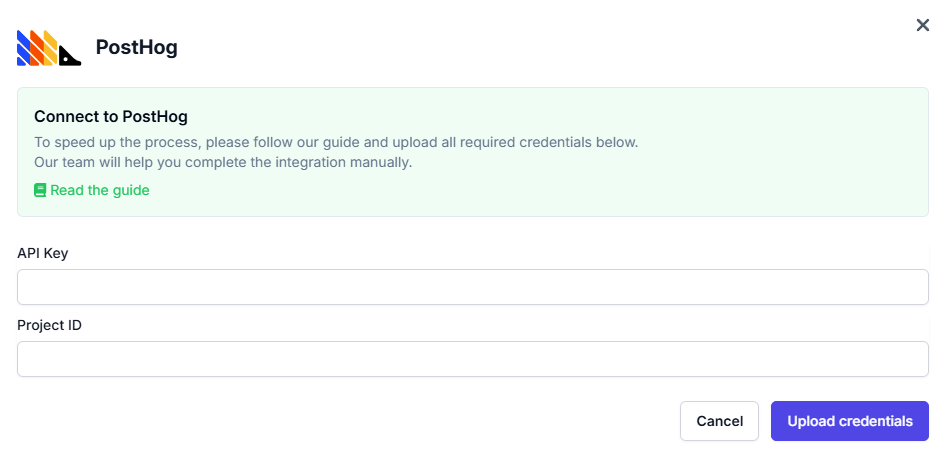
After creating the API key, please upload the API key together with the project ID into Customerscore under Settings->providers by clicking Connect to PostHog and filling out the form.
What Happens Next?
Once we receive all the required information, we’ll begin integrating your PostHog account with the Customerscore.io app.